 OneCatch
~/.onecatch
One app for every agent you code with.
OneCatch drives Codex, Claude Code, Modu, Pi and Grok from one local workbench. Compose them into loops and DAGs — and point any of them at a remote filesystem that needs neither an agent nor an internet connection of its own.
v0.4.0 Free and open source · macOS, Windows, Linux and Android · or build it from source
Drives the agent CLIs you already have
 Codex
Codex Claude Code
 Modu Code
- Pi
- Grok Build
startedcodex · thread 019f4b11 workspace-writereasoningread the existing interrupt path before touching statetool_userg "ResumeSessionID" internal/tool_result4 matchesfile_changeM internal/usecase/execution/worker.gousagein 18.2k · out 1.4kresultsucceeded · 42s────────────────────────────────────────────startedclaude · session 45db32aa read-onlyreasoningcheck whether resume re-appends the same eventstool_usego test ./internal/usecase/...tool_resultok 6 packagesresultneeds_work → back to step 1, implement
Five runtimes, one event format. What you read, what lands in the run log, and what decides where the workflow goes next are the same data.
The one that matters
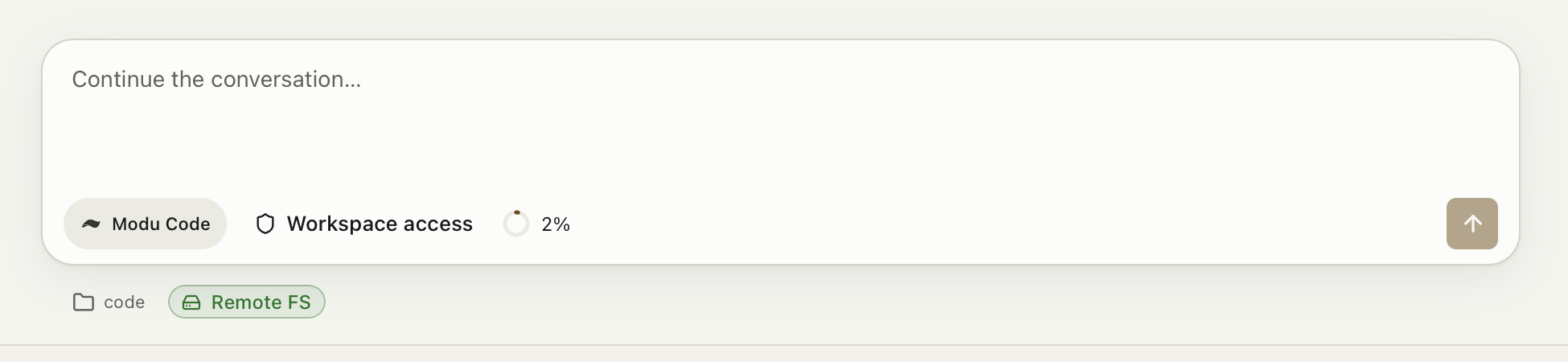
The agent runs here. The files live there.
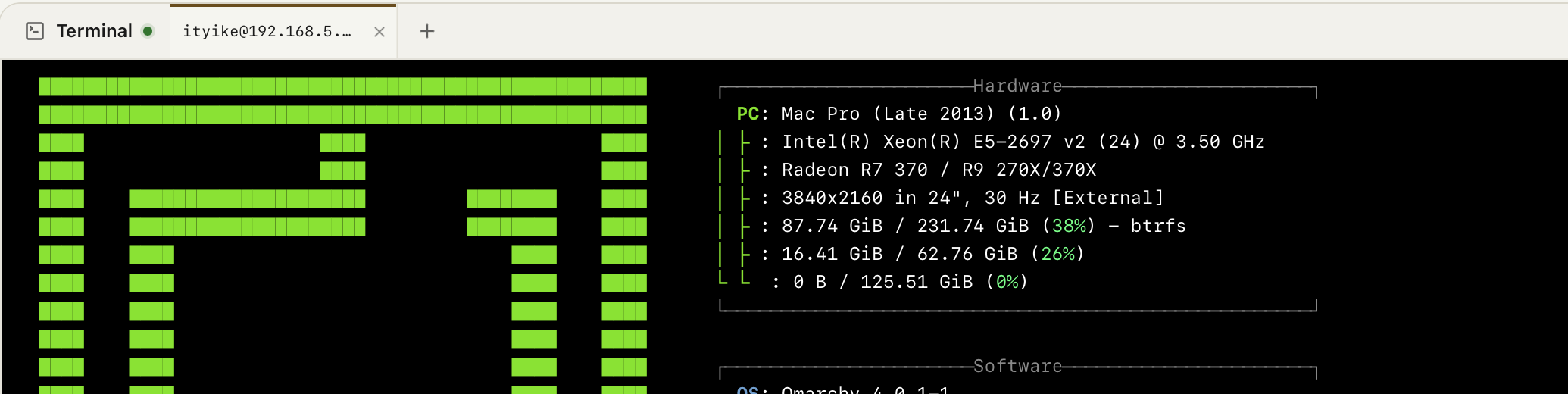
A Remote FS workspace holds one long-lived SSH/SFTP connection and applies every command and file operation to a directory on the far end. The agent, the model credentials and the reasoning all stay on your machine.
The remote box needs nothing but sshd. No agent installed, no API key, no model access — and no internet connection of its own. A machine that cannot reach an LLM at all is still a machine your local agent can work on.
Nothing is copied down, nothing is mounted. The files never land in a local working copy and there is no FUSE mount to break. What the agent edits is the remote file.
One workbench
Five agent CLIs, and you read them all the same way
Codex speaks JSON-RPC over its app-server. Claude Code speaks --output-format
stream-json. Pi emits JSONL, Grok speaks Agent Client Protocol, and no two of them
agree on anything. OneCatch normalizes all of it into one set of events.
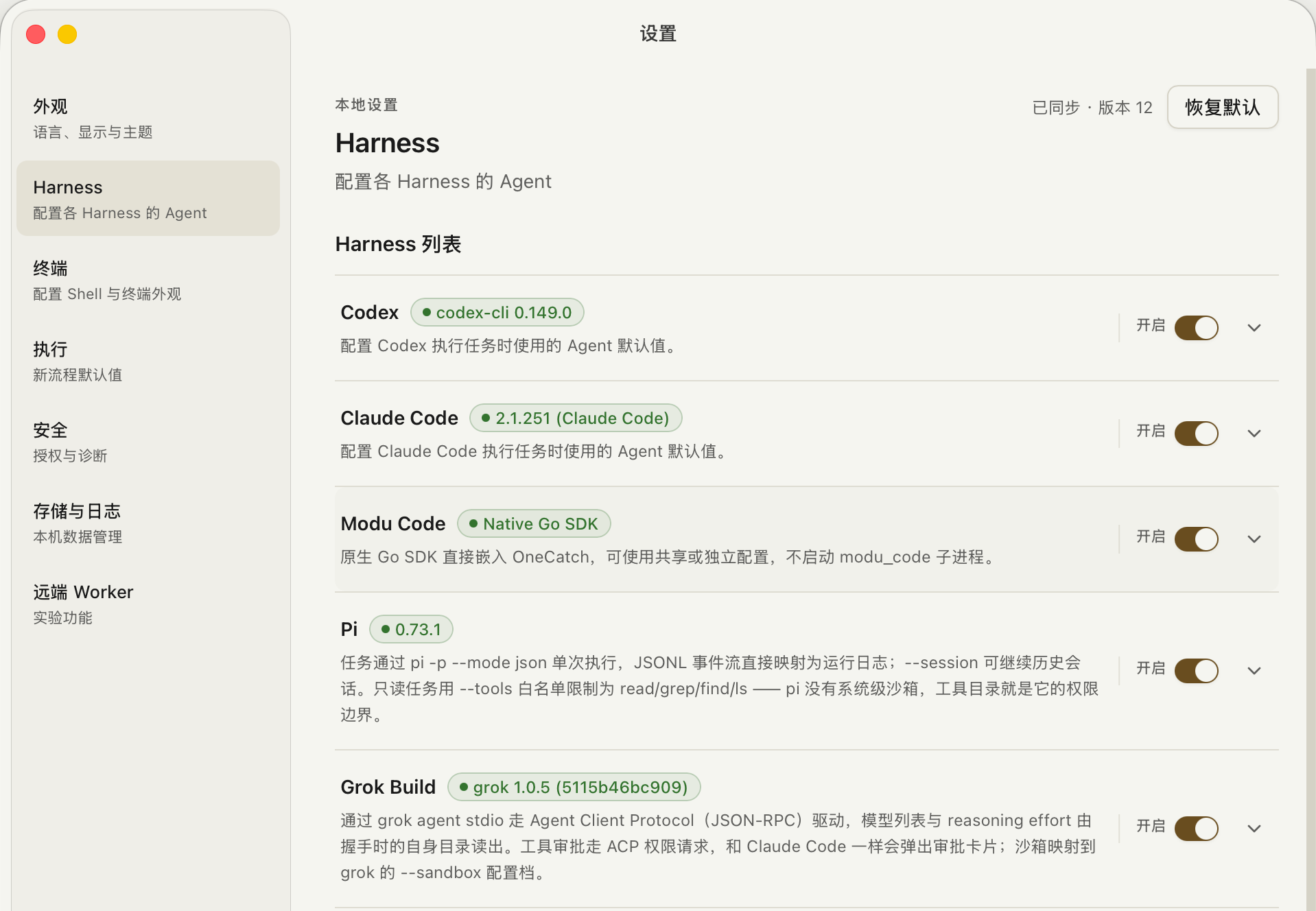
Every agent, its own version and switch
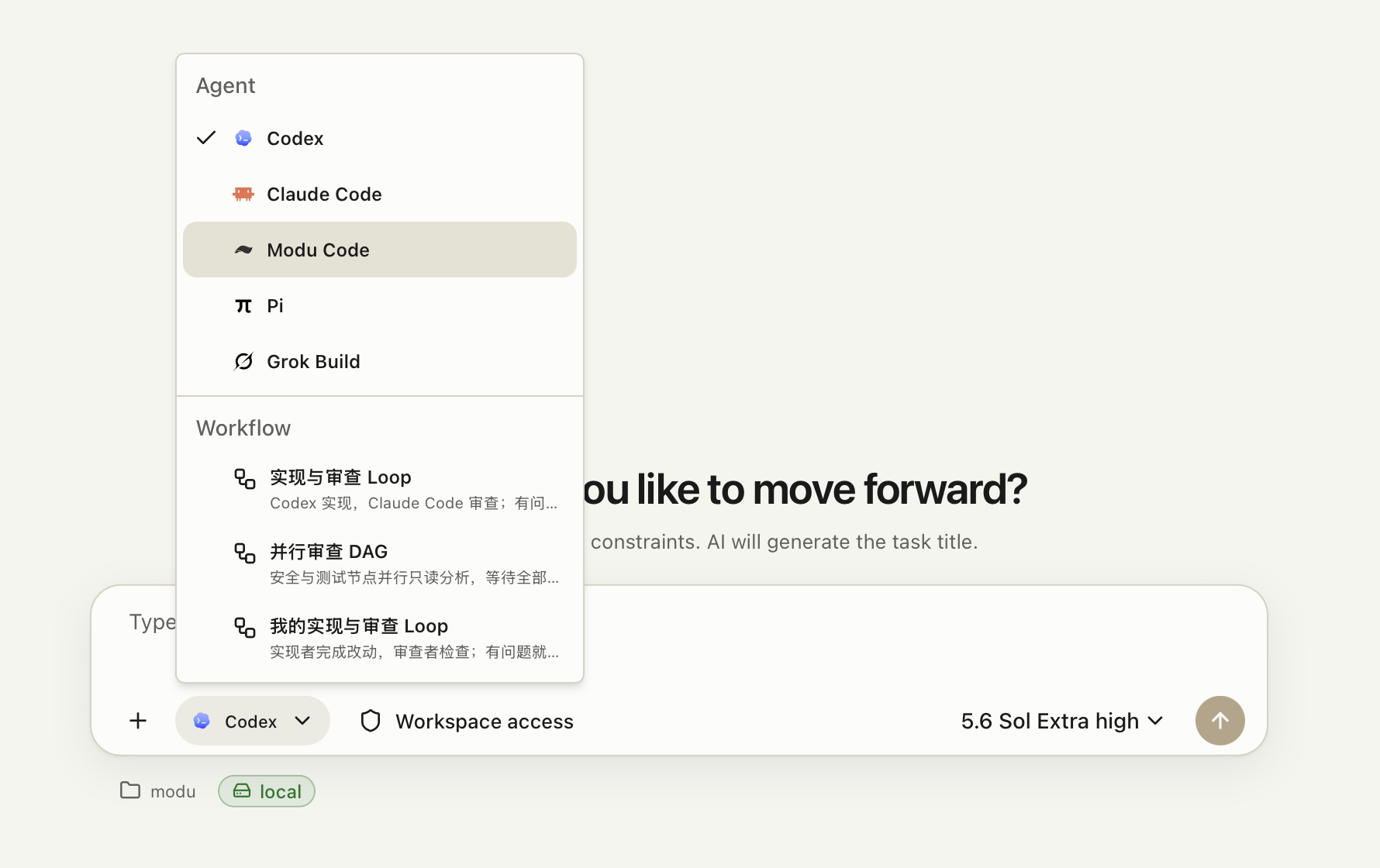
Each harness is detected on your PATH, reports its own version, and can be
turned off without touching the others. Modu Code is embedded as a native Go SDK rather
than spawned as a subprocess.
Model and effort are per step, not per app
A step names its runtime, model, reasoning effort and service tier; anything unset falls back to the global default. An expensive model to implement and a cheap one to review is configuration, not code.
Workflows
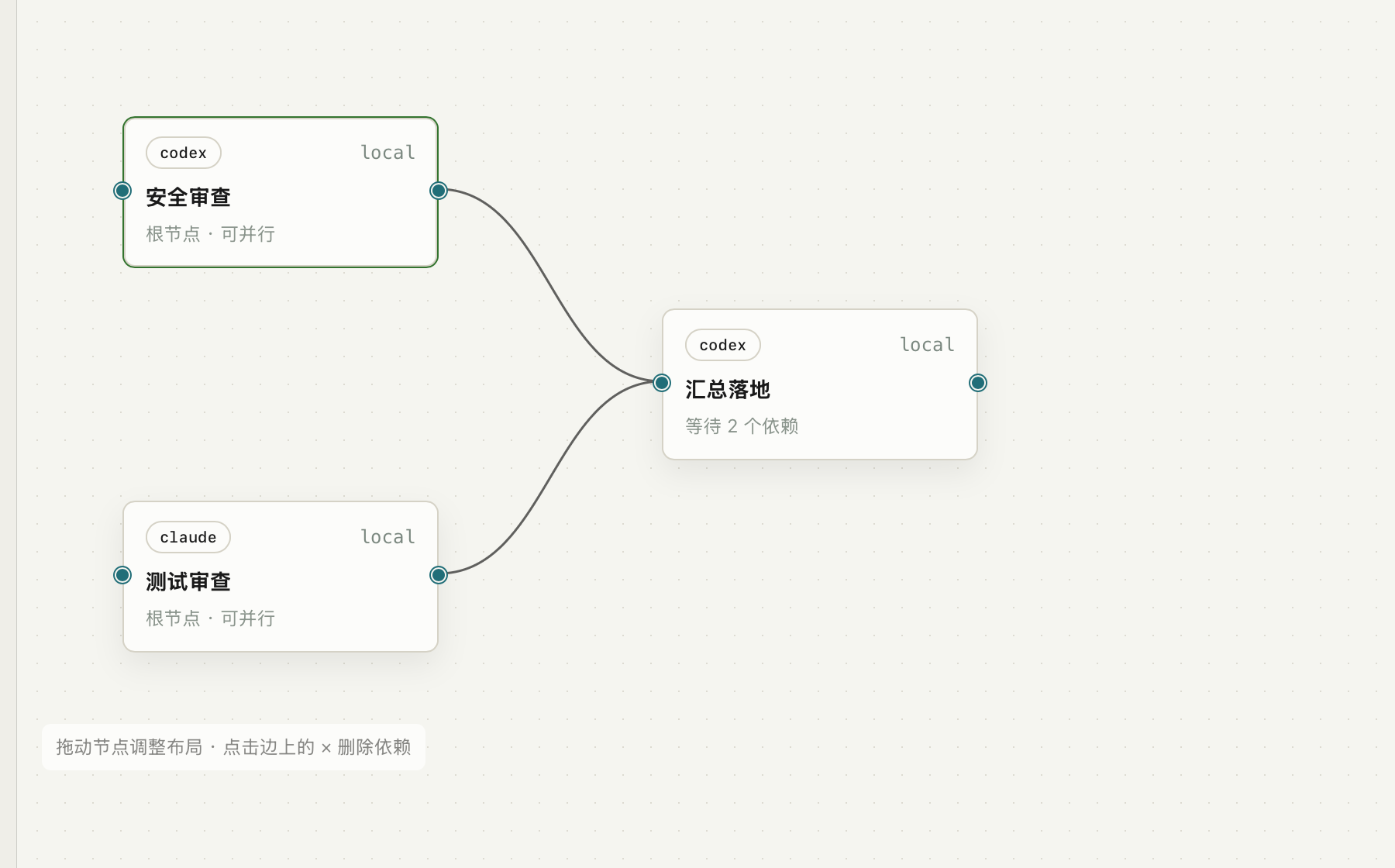
A loop when the work is a loop, a DAG when it forks
Implement → review → rework is a loop: each step declares the signals it can emit and where each one jumps to. When the work fans out instead, build it as a DAG — parallel nodes that join back into one.
It stops, and it picks back up
Queue extra instructions mid-run, or interrupt the current turn and say something now.
After a pause it resumes by session ID — --resume for Claude Code,
thread/resume for Codex — and the events keep appending to the same run log
instead of starting a second one.
Permissions live on each step, not on one global switch
read-only, workspace-write and full are properties
of each step. Writable while implementing, read-only while reviewing is the usual shape.
full takes a second confirmation, and is never allowed to run on a remote
worker.
A loop you got wrong stops itself
Transitions are capped at 20 by default, and a run of consecutive failures ends it too. Before saving, the DAG is checked for cycles, unknown dependencies and parallel write conflicts. A loop with no exit hits a ceiling — not your whole night of tokens.
The data is just files on your disk
JSON and JSONL under ~/.onecatch, with each run's event stream in
~/.onecatch/runs/. You can grep it, commit it, or delete it. No account, no
telemetry, no cloud service sitting between you and the agent.
Download
Get OneCatch
Free and open source. Pick your platform — every build comes from the same repository.
released 2026-09-30 · all releases · every file has a .sha256 beside it
Intel Macs are not built — build from source on those.
What you need first on desktop. At least one agent CLI on your PATH — Codex,
Claude Code, Modu, Pi or Grok — already signed in. OneCatch launches those binaries;
it never proxies your requests, so it never sees your keys.
No account, no setup server. First launch creates ~/.onecatch
and that is the whole install footprint besides the app itself.
From source
Or build it yourself
$ git clone git@github.com:openmodu/onecatch.git
$ cd onecatch
$ go tool wails3 task deps            # install Go and JS deps from the lockfiles
$ go tool wails3 task build:desktop    # produce a desktop build
Needs Go and Node; the versions that count are the ones in the repository's go.mod and
frontend/package.json. For a dev environment, go tool wails3 task dev:desktop.
Non-goals
Things OneCatch does not intend to do
It does not host your code, and it does not run the agent for you. It drives the CLIs already installed on your machine, using those CLIs' own logins and API keys. OneCatch never forwards your requests, so it never has your key.
No accounts, no cloud sync. A second machine means a second ~/.onecatch, and keeping them in step is on you. That is the price of local-first, written here rather than discovered after you install.
The marketplace, login and billing code in the repository is not the product. It is left over from early exploration, kept as history, and it does not constrain the local orchestration work.
Questions
The things you are probably about to ask
Does the remote machine need internet access?
No. That is the point of a Remote FS workspace. The agent process, the model credentials and every request to the model provider stay on your machine; only file reads, writes and shell commands travel over SSH/SFTP. A box behind an air-gapped firewall, or one that simply has no route to any LLM, is still a box your local agent can work on. It needs sshd, an account, and nothing else — no agent CLI, no OneCatch, no key.
Which agents does it drive?
Codex, Claude Code, Modu Code, Pi and Grok Build. Each is detected on your PATH, reports its own version, and can be enabled or disabled on its own. Modu Code is embedded as a native Go SDK instead of being spawned as a subprocess. A workflow can mix them freely — implement on one, review on another.
How is this different from opening a few terminals myself?
The difference is what happens after a run. In a terminal the agent stops and you decide whether the result passed, whether to rework it, and which context to feed back in. OneCatch writes that judgement down as a step's output signals and its transition table, so "review failed, go back to implement" happens without you. The side benefit is that every turn's events, tokens and touched files land in one run log instead of your scrollback.
Do I need to configure another API key?
No. OneCatch launches the agent binaries on your machine, and authentication is whatever those tools already use. Requests never pass through OneCatch — which is why it can neither see your key nor bill you.
What is the difference between a Remote FS workspace and a remote worker?
Remote FS keeps the agent local and sends only file and shell operations to the far end — the remote needs nothing installed. A remote worker is the opposite: the agent itself runs on that machine, which therefore needs the CLI, its credentials and model access. Workers suit a beefy build box you control; Remote FS suits everything else, and a full-permission step is never allowed on a worker.
Does any of my data leave the machine?
No. There is no account system, no telemetry and no OneCatch server. Tasks, run records and event streams are JSON and JSONL files under ~/.onecatch. The agent itself of course talks to its own model provider — exactly as it does when you run the CLI by hand.
Which platforms are supported?
macOS on Apple silicon, Windows on x64, Linux on x64 as either a .deb or an AppImage, and Android on ARM64 as an APK. The Android app connects to a paired computer running OneCatch; agent CLIs run on that computer. Intel Macs have no build yet; they can still run a source build. The standalone remote worker builds for macOS and Linux.